
Creative Methods
How to Make an AI Short Drama: From Story to Vertical Video on One Canvas
A practical AI short drama workflow: pick a visual style, write the story, break it into a storyboard, keep characters consistent and generate vertical 9:16 video, all on one Say Action canvas.
On this page
What is an AI short drama?
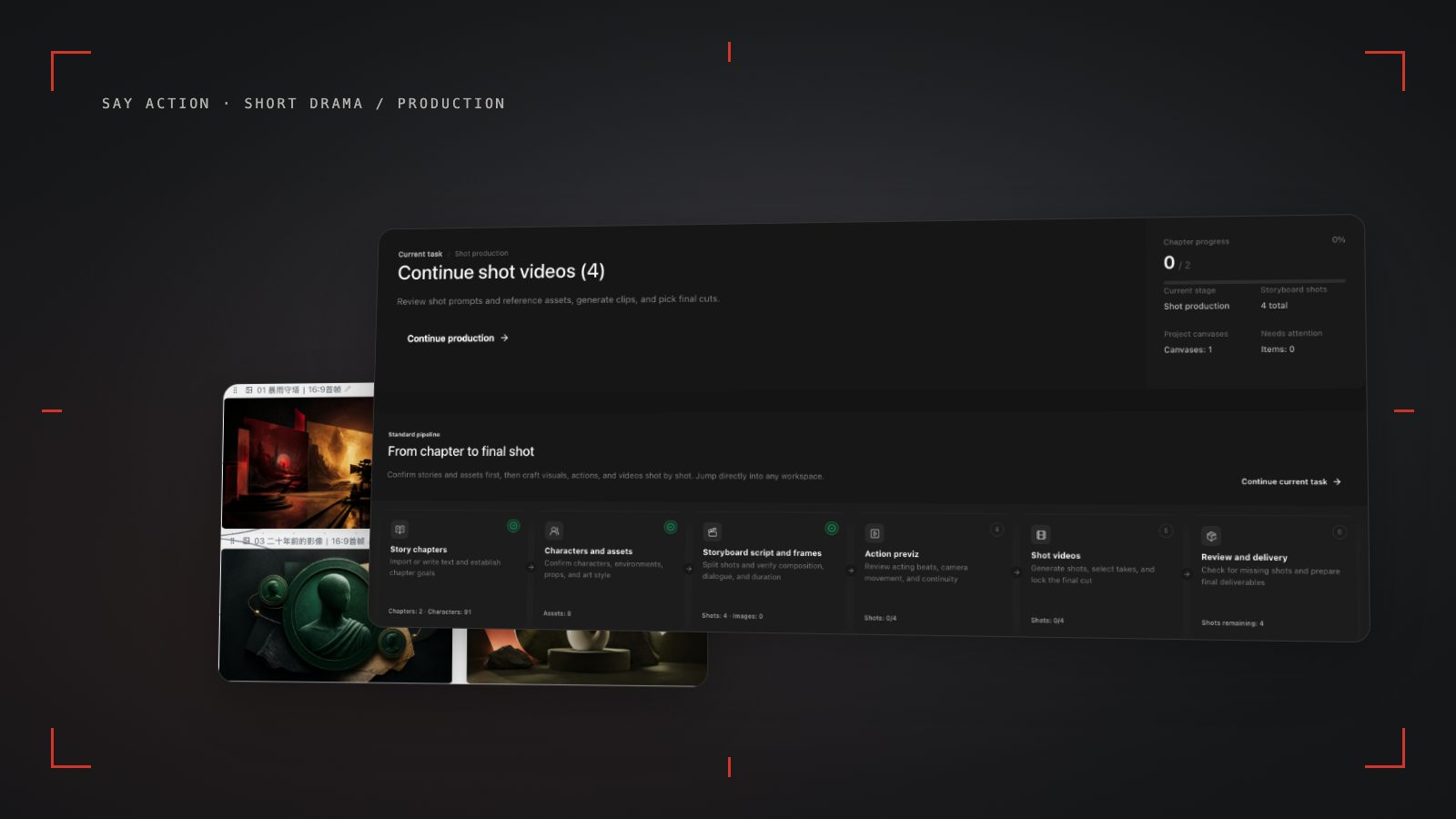
An AI short drama is a short episodic series made with AI-generated images and video, usually vertical, one to two minutes per episode and fast-paced. The hard part is not generating one shot; it is keeping the story, the storyboard and the characters together across dozens of shots.
Say Action has a built-in short drama guide on the canvas that splits the work into five steps: style, story, storyboard, video and final cut. Each step is a node on the canvas, so you can always see where an episode stands.
Step 1: choose a style and write the story
Start by picking a visual style such as urban live action, period live action, suspense noir, Chinese 2D animation or ink-wash storytelling. Every shot that follows reuses this style setting.
Then write the synopsis or the episode script. The more concrete it is about who, where and what the conflict is, the more useful the storyboard that comes out of it.
Step 2: break it into a storyboard and lock your characters
Ask the canvas agent to turn the script into a storyboard, with shot size, camera, dialogue and an image prompt for every shot. After you approve it, generate reference images for the main characters with Nano Banana.
Bind those character references to the shots they appear in, and connect neighboring shots with Seedance 2.5 first and last frames. This noticeably reduces face drift and sudden wardrobe changes between shots.
Step 3: generate vertical video and assemble the episode
Generate each shot as 9:16 vertical video and redo any shot you are not happy with without affecting the others. All clips stay on the canvas, and the final step lines them up in order.
When the upstream explicitly reports failure, reserved credits are refunded; tasks with unclear network status stay pending review to avoid double settlement.
Connect your own API channels and third-party relays
In model-channel settings, enter the Base URL and API key, then configure the protocol, model IDs and required headers from your provider's documentation. Check the image and video modes you need before generating. Paths, resolutions and first/last-frame inputs depend on the connected channel. An adaptation request for an unsupported channel is not a compatibility guarantee.
BYOK supports a custom API endpoint, model key and headers. For OneAPI, NewAPI or another relay, select the OpenAI, Gemini or Claude protocol that matches its actual API, then check model IDs and image/video endpoint support. Not every relay or private protocol works automatically. BYOK model calls have no platform model markup or platform generation-credit deduction; workspace access and provider usage are still billed separately.
Connect only trusted providers and use HTTPS in production. Custom requests are forwarded through the authenticated backend; required prompts, reference assets and credentials take part in the request. Never put API keys, passwords or secret-bearing headers in public canvases, screenshots or support requests.
Frequently asked questions
How many credits does one AI short drama episode take?
It depends on the number of shots, the model, the resolution and the length. Every generation shows its estimate first, so you can test at a lower resolution and render the final version once you are happy.
How do I keep the same character looking the same in every episode?
Generate and save a character reference image, bind it to every shot where that character appears, and use first and last frames to connect neighboring shots.
Are credits charged when a generation fails?
When the upstream explicitly reports failure, reserved credits are refunded; tasks with unclear network status stay pending review to avoid double settlement.
Can I connect OneAPI, NewAPI and custom headers?
BYOK supports a custom API endpoint, model key and headers. For OneAPI, NewAPI or another relay, select the OpenAI, Gemini or Claude protocol that matches its actual API, then check model IDs and image/video endpoint support. Not every relay or private protocol works automatically. BYOK model calls have no platform model markup or platform generation-credit deduction; workspace access and provider usage are still billed separately.