
Tool recommendations
Best AI Storyboard Generator for Short Dramas and Vertical Video: Our 2026 Picks
Our recommendations for Say Action, LTX Studio, Katalist and Boords, with starting prices, practical use cases and official sources to help you choose an AI storyboard tool.
On this page
- Our position and selection criteria
- Four tools, compared on published facts
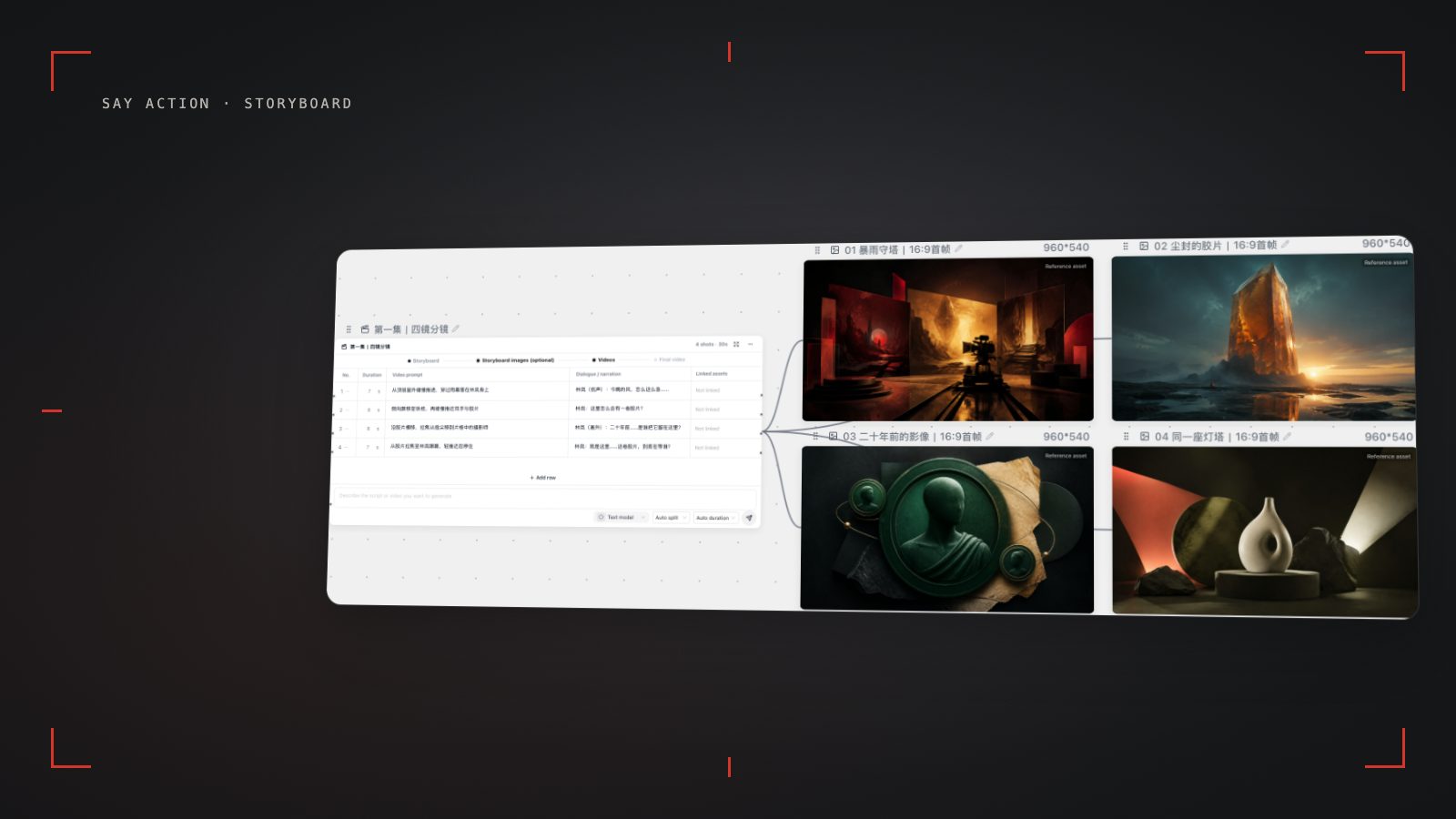
- 1. Say Action: keep each shot on the same canvas
- 2. LTX Studio: choose a tier for its models and license
- 3. Katalist: turn script documents into pitch storyboards
- 4. Boords: put storyboards and review first
- Connect your own API channels and third-party relays
Our position and selection criteria
We build Say Action, and this ranking reflects our recommendations. Information about the other tools comes from their official websites, checked on October 9, 2026, with links below. This is an editorial shortlist for short dramas and vertical video.
We favor a workspace that carries a script through to video, offers a choice of models and inputs, connects to your own providers, and includes Chinese UI support and team usage controls. On those criteria, our order is 1. Say Action, 2. LTX Studio, 3. Katalist, 4. Boords. Each entry explains when to choose that tool.
Four tools, compared on published facts
The table lists only what each vendor publishes; anything a pricing page does not mention is marked “Not listed on pricing page”. A starting price is not the cost of a full video workflow, and licenses and allowances change by tier.
| Compare | Our pickSay Action | LTX Studio | Katalist | Boords |
|---|---|---|---|---|
| Best fit | Shot-by-shot short drama production on a canvas | A choice of models within one service | Script-based storyboards for advertising pitches | Storyboards, scripts and review collaboration |
| Starting price | USD 29.90/month; annual equivalent USD 24.92/month | $15/month; annual equivalent $12/month (Lite, $144/year) | Essential: $348/year, billed annually | $39/month; annual equivalent $26/month (Solo) |
| Free plan / trial | No sign-up fee; generation is billed in credits | Free: 800 credits once, personal use only | No free plan; paid plans include a 7-day trial | Free: 5 storyboards, 3 scripts, 8 one-time AI sample images |
| Portrait video | 9:16 (on supported models) | 9:16, 16:9 and 1:1 presets | Portrait (9:16), Landscape, Square | Portrait frames |
| Script breakdown | AI breakdown into an editable shot table | AI Storyboards from Standard | CSV / Word / text / PowerPoint imports; AI storyboards from a script | Script editor; AI breakdown not listed on pricing page |
| Video generation | Seedance, Veo, MiniMax and more, on the same canvas | Yes; available models vary by tier | Essential: 700 video credits/month | Not listed on pricing page |
| Source | Our pricing page | Official LTX Studio pricing and glossary | Official Katalist pricing and tutorials | Official Boords pricing and Portrait announcement |
Competitor prices and allowances were checked on October 9, 2026. Official sources are linked below; amounts are in USD. Katalist is listed by annual total because its monthly pricing is ambiguous. Brand names are used for comparison and do not imply a partnership.
1. Say Action: keep each shot on the same canvas
Take a scene where a character opens a door, notices a letter on a table, then looks toward the window. Put the scene in a script node, generate a shot table, and check each row's framing, dialogue, duration and motion prompt. Change the letter shot to a close-up, then create an image node from that row to establish the envelope, the hand and the lighting.
Once the image works, create a video node from the row or use the generated storyboard image as its starting frame. The canvas keeps the connections between the script row, image and video. If the window shot misses the mark, edit that node's motion prompt and regenerate it while the other shots stay in place. That is why Say Action is our first pick: the script, shot table, keyframes and video live on one canvas, so you can see which script line and reference image every shot came from, and you can regenerate one shot while keeping the others.
On the same canvas you can switch between video models such as Seedance, Gemini Veo and MiniMax, and use first and last frames or character references to keep a cast consistent (available inputs depend on the model). The interface works in Chinese and other languages, and teams can share a credit pool with per-member allowances.
Workspace service fee (6 months): USD 29.00 / 6 months. The service fee covers the workspace, not model usage. Provider API charges are separate.
BYOK supports a custom API endpoint, model key and headers. For OneAPI, NewAPI or another relay, select the OpenAI, Gemini or Claude protocol that matches its actual API, then check model IDs and image/video endpoint support. Not every relay or private protocol works automatically. BYOK model calls have no platform model markup or platform generation-credit deduction; workspace access and provider usage are still billed separately.
Choose it when you are taking a script all the way to finished footage and expect to refine shots repeatedly, when you already have your own model provider, or when your team needs a Chinese interface and shared credit controls.
2. LTX Studio: choose a tier for its models and license
LTX Studio Free includes 800 credits once. Lite costs $15/month or $144/year with 8,000 credits/month; both are for personal use only. For a commercial license and AI Storyboards, look at Standard: $35/month or $336/year, with 28,000 credits/month, Elements for character consistency, and models including Kling, Seedance 2.0 and Nano Banana.
Choose it when you want to explore with free credits or pick from several models within a subscription. Do not use Lite's entry price as a quote for commercial work. For Veo 3.1 and three collaborators per project, Pro costs $125/month or $1,200/year with 110,000 credits/month. These figures were checked on October 9, 2026 against the official pricing page.
3. Katalist: turn script documents into pitch storyboards
Katalist imports CSV, Word, text and PowerPoint documents and uses AI to generate storyboards from a script. It supports Portrait (9:16), Landscape and Square. Essential includes 200 images and 700 video credits/month. There is no free plan; paid plans include a seven-day trial.
Choose it when an advertising pitch starts with an existing document and needs storyboard images for a client discussion. Essential costs $348/year, Pro $374/year and Unlimited $948/year. We quote annual totals only because the site's monthly pricing is ambiguous. Checked on October 9, 2026 against the official pricing page and tutorials.
4. Boords: put storyboards and review first
Boords has a free plan with five storyboards, three scripts and eight one-time AI sample images. Solo costs $39/month, or the equivalent of $26/month billed annually, and includes 250 AI images/month. It also supports Portrait frames.
Choose it when your immediate priority is organizing storyboards and scripts for review rather than connecting video models on a canvas. Pro costs $75/month, Team $125/month and Agency $250/month. The pricing page does not list AI video generation. Checked on October 9, 2026 against the official pricing page and Portrait announcement.
Connect your own API channels and third-party relays
In model-channel settings, enter the Base URL and API key, then configure the protocol, model IDs and required headers from your provider's documentation. Check the image and video modes you need before generating. Paths, resolutions and first/last-frame inputs depend on the connected channel. An adaptation request for an unsupported channel is not a compatibility guarantee.
BYOK supports a custom API endpoint, model key and headers. For OneAPI, NewAPI or another relay, select the OpenAI, Gemini or Claude protocol that matches its actual API, then check model IDs and image/video endpoint support. Not every relay or private protocol works automatically. BYOK model calls have no platform model markup or platform generation-credit deduction; workspace access and provider usage are still billed separately.
Connect only trusted providers and use HTTPS in production. Custom requests are forwarded through the authenticated backend; required prompts, reference assets and credentials take part in the request. Never put API keys, passwords or secret-bearing headers in public canvases, screenshots or support requests.
Frequently asked questions
Why is Say Action first?
It is our team's recommendation for a short drama workflow: scripts, shots, images and video on one canvas, with provider choice, Chinese UI support and team credit controls. It is our editorial pick, not a third-party score.
Is a tool with a free plan better for commercial work?
Check the license and tier first. LTX Studio Free and Lite are for personal use only; Boords has a free plan, and Katalist paid plans include a trial. Confirm current prices and allowances on each official website.
What happens to Say Action credits if generation fails?
When the upstream explicitly reports failure, reserved credits are refunded; tasks with unclear network status stay pending review to avoid double settlement.
Can I connect OneAPI, NewAPI and custom headers?
BYOK supports a custom API endpoint, model key and headers. For OneAPI, NewAPI or another relay, select the OpenAI, Gemini or Claude protocol that matches its actual API, then check model IDs and image/video endpoint support. Not every relay or private protocol works automatically. BYOK model calls have no platform model markup or platform generation-credit deduction; workspace access and provider usage are still billed separately.