
Creative Methods
Complete AI Short Drama Workflow: From Script to an Editing Handoff
Plan an end-to-end AI short drama workflow, from script and storyboard review through shot generation, human checks, and an organized handoff to an editor.
On this page
- Define the editing handoff before you plan production
- Prepare the script, scenes, and character notes
- Review the storyboard and prepare keyframe inputs
- Generate shot by shot, repair by issue, and review by hand
- Name and save assets for an external editing handoff
- Budget boundaries and a stage-by-stage acceptance checklist
- Connect your own API channels and third-party relays
Define the editing handoff before you plan production
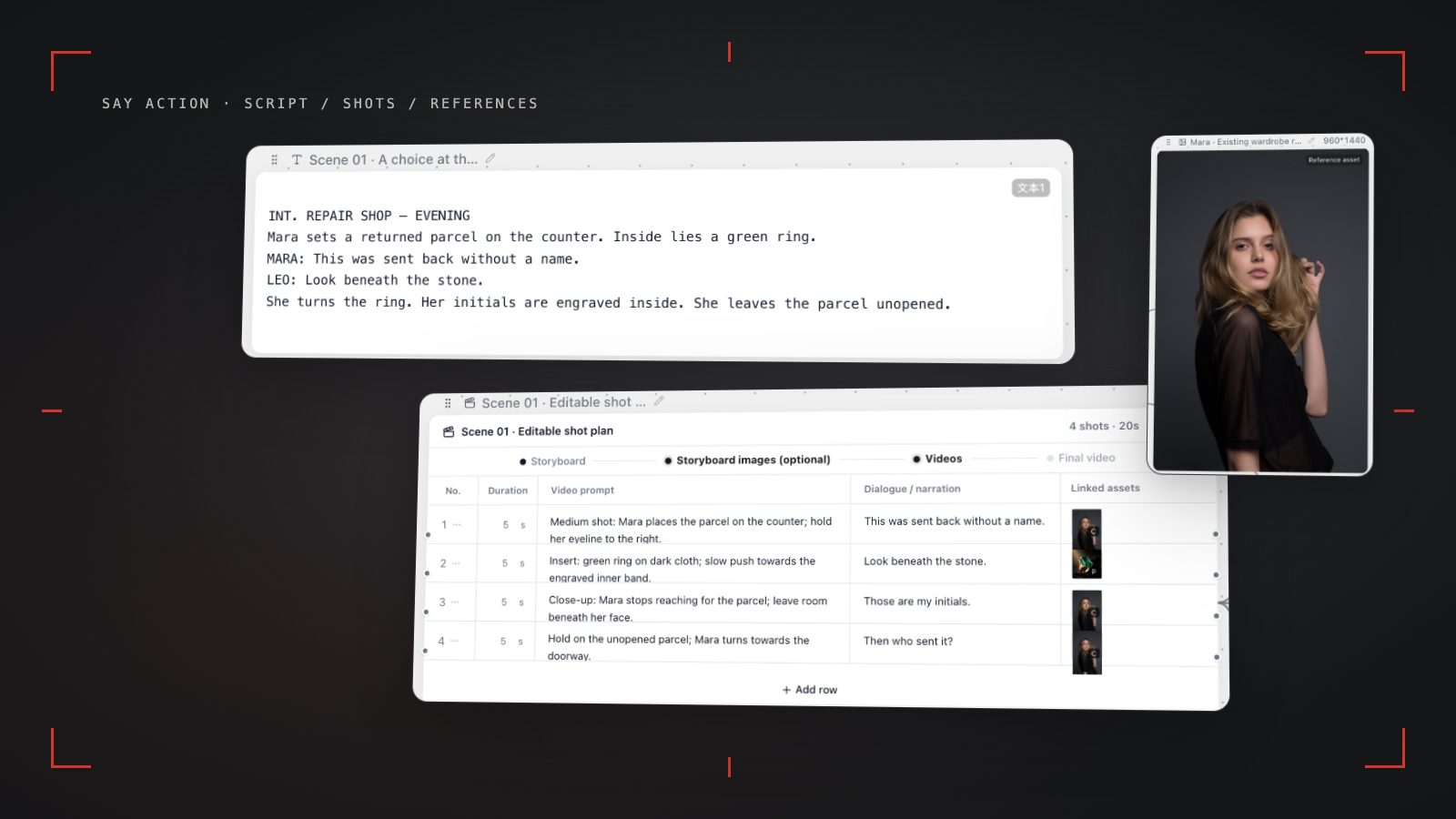
A workable AI short drama workflow produces an approved script and scene breakdown, a shot-by-shot storyboard, authorized character and location references, saved video clips organized by shot, and a handoff note that identifies missing shots, alternatives, and open questions. AI can help break text into shots and create image or video assets. It does not decide whether the story works, whether performances cut together, or finish the edit, subtitles, mix, and platform delivery for you.
Move through explicit gates: confirm scenes and shots after the script; prepare keyframes after storyboard review; generate shots only after checking keyframes and model inputs; then organize assets for an external editor. Record each stage's input, output, review points, and rollback point. If a shot needs work, return to its storyboard row or prompt instead of treating an episode as one indivisible generation task.
Prepare the script, scenes, and character notes
Start with a script you are authorized to use, whether it is a locked draft or material still in development. For each scene, note location, time, characters, dramatic goal, what changes, and the scene's ending state. Separate dialogue from action. For each shot, clarify who speaks, who reacts, where important props are, and how people enter or leave; that context can prevent a late rebuild of the shot list.
Create written notes and authorized reference images for principal characters. Track hair, wardrobe, apparent age, accessories, and changes within the scene. A reference image is an input, not a guarantee of identical appearance across shots; compare faces, clothing, props, and spatial relationships during review. Settle the episode's scene and character information before drafting boards. If motivation, character, or scene order is still changing, revise the script before turning provisional ideas into assets.
Review the storyboard and prepare keyframe inputs
Each storyboard row should point to a specific action or line in the script and record the subject, shot size, camera position or movement intent, visual focus, dialogue or sound cue, and intended start and end state. First check story coverage: can the key action be seen, is a reaction shot needed, and are scene transitions legible? Then check production conditions: character and prop continuity, composition for the target aspect ratio, and prompts that do not contradict one another. A storyboard is a plan, so a creator still needs to review it row by row.
Choose keyframes for approved shots that need image references, and label the scene, shot, and whether each image is a first frame, last frame, or character reference. Preserve source links and versions so an editor can trace an image to its use. Aspect ratios, reference images, first and last frames, and duration inputs vary by video model and channel; confirm the options available in the selected setup. See the focused guide for a more detailed field breakdown.
Generate shot by shot, repair by issue, and review by hand
Before generation, check each shot's prompt, references, aspect ratio, model, and available start/end-frame inputs. Review one representative shot to see whether the character, action, and setting are described clearly, then continue with the approved approach. Keep each clip linked to its storyboard row and retain model, version, or other notes the team needs to understand its inputs. Capabilities and parameters depend on the selected model and channel; do not assume one model's conditions apply to every shot.
Review whether the clip communicates the action and emotion, then inspect faces, wardrobe, hands, props, screen direction, background details, motion, and frame edges for issues that matter to the edit. Record the issue on its shot: clarify a prompt or reference and redo that shot when appropriate; if the action does not fit one shot, revise the breakdown or camera plan; if cause, effect, or motivation is unclear, return to the script. A person decides what to use and which defects are acceptable.
Name and save assets for an external editing handoff
Use filenames the team can interpret later, with episode, scene, shot, version, and status where useful. Keep a shot list with the source script line, asset path, aspect ratio, sound needs, selection status, and open tasks. Separate selected, alternate, and rejected clips; include character and location references plus any relevant rights notes. Before handoff, open files to confirm they play, have the intended orientation, and are the right versions. Keep a project copy and a reliable backup.
Use editing software to assemble shots for pace, handle dialogue and ambience, add subtitles and titles, and export against the destination platform's current requirements. The handoff note should identify shot order, alternates, missing assets, dialogue or music status, subtitle considerations, and decisions still needing a director. Say Action's canvas and generated assets can help organize production; this workflow does not mean the platform automatically edits, mixes, publishes, or grants rights to assets.
Budget boundaries and a stage-by-stage acceptance checklist
Budget by production stage: workspace plan and generation credits; charges from the selected model or upstream provider; retries and higher-resolution output; storage and backups; then post-production such as editing, voice, music, subtitles, and rights. Before starting, list the shots you expect to generate, candidate models, target aspect ratio, and delivery requirements. Check Say Action's current pricing page and the billing terms of connected services; use the information shown at the time for any estimate.
Use a gate checklist: script scenes and characters are confirmed; storyboard rows trace back to the script and have human approval; keyframes and references have sources, versions, and usage notes; model inputs are checked; a person reviews every clip and marks it selected or for revision; local assets open and are backed up; and the editor can see shot order, gaps, sound needs, and open decisions. If a generation result or charge is unclear, follow the platform task state instead of assuming it failed or was refunded.
Connect your own API channels and third-party relays
In model-channel settings, enter the Base URL and API key, then configure the protocol, model IDs and required headers from your provider's documentation. Check the image and video modes you need before generating. Paths, resolutions and first/last-frame inputs depend on the connected channel. An adaptation request for an unsupported channel is not a compatibility guarantee.
BYOK supports a custom API endpoint, model key and headers. For OneAPI, NewAPI or another relay, select the OpenAI, Gemini or Claude protocol that matches its actual API, then check model IDs and image/video endpoint support. Not every relay or private protocol works automatically. BYOK model calls have no platform model markup or platform generation-credit deduction; workspace access and provider usage are still billed separately.
Connect only trusted providers and use HTTPS in production. Custom requests are forwarded through the authenticated backend; required prompts, reference assets and credentials take part in the request. Never put API keys, passwords or secret-bearing headers in public canvases, screenshots or support requests.
Frequently asked questions
Can I turn a script into a finished short drama in one click?
No single generation step should be treated as a finished episode. AI can help draft a breakdown and create shot assets, but a person still needs to review story coverage, performances, continuity, edit, sound, subtitles, rights, and delivery.
Which steps still need human review?
Review the script and shot breakdown, references and model inputs, every generated clip, continuity and story clarity, asset rights, and the final edit and export. Models can produce unexpected details, so acceptance and revision decisions remain editorial work.
How do I keep characters consistent across shots?
Use approved character notes and reference images where the selected model supports them, keep wardrobe and scene details explicit, and compare each clip with neighboring shots. References can guide a model but do not guarantee a face or costume will remain identical.
What should I hand off to an editor?
Provide the approved shot list, clearly named and playable clips, selected alternates, relevant references and rights notes, dialogue or sound materials, subtitle guidance, and a list of missing shots and decisions still open. Include the intended shot order and export target.
Can I connect OneAPI, NewAPI and custom headers?
BYOK supports a custom API endpoint, model key and headers. For OneAPI, NewAPI or another relay, select the OpenAI, Gemini or Claude protocol that matches its actual API, then check model IDs and image/video endpoint support. Not every relay or private protocol works automatically. BYOK model calls have no platform model markup or platform generation-credit deduction; workspace access and provider usage are still billed separately.