
Tool recommendations
Boords Alternative for AI Short Drama Workflows: Say Action and the Trade-offs
Compare Boords and Say Action for script-to-storyboard work, client review, MCP and shot-based AI video, with practical fit, migration steps and cost boundaries.
On this page
- Disclosure and how we make this recommendation
- Say Action vs Boords: a feature-by-feature comparison
- When to consider Say Action first
- Why Boords may suit client comments and version reviews
- Rebuild existing storyboard material in Say Action
- Costs, revisions and delivery boundaries
- Connect your own API channels and third-party relays
Disclosure and how we make this recommendation
This article was written by the Say Action team. The order reflects our editorial recommendation for short drama workflows, not an independent benchmark.
This is not a claim that one product is best for every project. Start with the deliverable: if a client needs to review boards, comment and revisit versions, those review steps may be the main job. If storyboard rows need to stay connected to keyframes and model-generated video shots, examine canvas relationships, model input limits and shot-level revision. The comparison below uses product code, published pricing copy and facts supported by the vendors' official pages. Boords information was checked on October 10, 2026. Where the reviewed pages do not establish a feature, it is marked as not specified rather than treated as absent.
This is an editorial recommendation from the Say Action team, not a third-party test or partnership. Check plan details and pricing on the official site again before publishing; vendor descriptions are not independent verification.
Say Action vs Boords: a feature-by-feature comparison
Read the table by workflow. Say Action's recommendation is about carrying a script, storyboard, keyframes and shot-based video through one canvas. Boords' published pricing page lists script-to-storyboard, client review/comments, version history, an MCP server and an animatic editor. “Not specified” means this review did not find clear current official evidence; it does not mean a feature is absent.
| Decision area | Our recommendationSay Action | Boords |
|---|---|---|
| Best fit | Carry a short drama from script and storyboard into shot-based AI video work on a canvas | Prepare scripts and storyboards for client review and collaborative feedback |
| Plan and price | Workspace access and model usage have separate boundaries; see the pricing page | Free plan; Solo is USD 39 monthly or USD 26/month equivalent when billed annually; confirm current terms on the official page |
| Script to storyboard | Turn a script into an editable storyboard table, then connect each row to image and video nodes | The pricing page lists Convert Script to Storyboard; detailed automatic breakdown behavior is not established here |
| AI images and references | Create image nodes from storyboard rows and connect references; available generation inputs depend on the selected model | AI sample images are included in the free plan; reference-image workflow details: official site does not specify |
| Aspect ratio | 9:16 is available with supported video models; check the selected model's inputs | Portrait-frame capability was not confirmed from a current official feature page; check the official site |
| Video and handoff | Generate video shot by shot on the canvas, then download selected clips for an external editor | An animatic editor is listed; animatic editing is not the same claim as AI video generation, which the pricing page does not specify |
| Review and collaboration | Team member roles and shared workspace controls; a client approval system is not claimed | Pricing page lists client review/comments and version history |
| MCP | MCP access is documented for supported canvas workflows | The pricing page lists an MCP server |
| Cost model | See the current Say Action pricing page; BYOK workspace and provider charges are separate | Free plan has limited allowances; paid-plan terms and final charges are subject to the official pricing page |
| Official source | Say Action pricing and product documentation | Boords pricing page; checked October 10, 2026 |
Say Action product details follow its current code and published pricing copy. Boords facts are limited to its official pricing page, checked October 10, 2026; the historical portrait announcement redirects to a changelog, so portrait support is not stated as absent. Brand names are used for editorial comparison; there is no implied partnership.
When to consider Say Action first
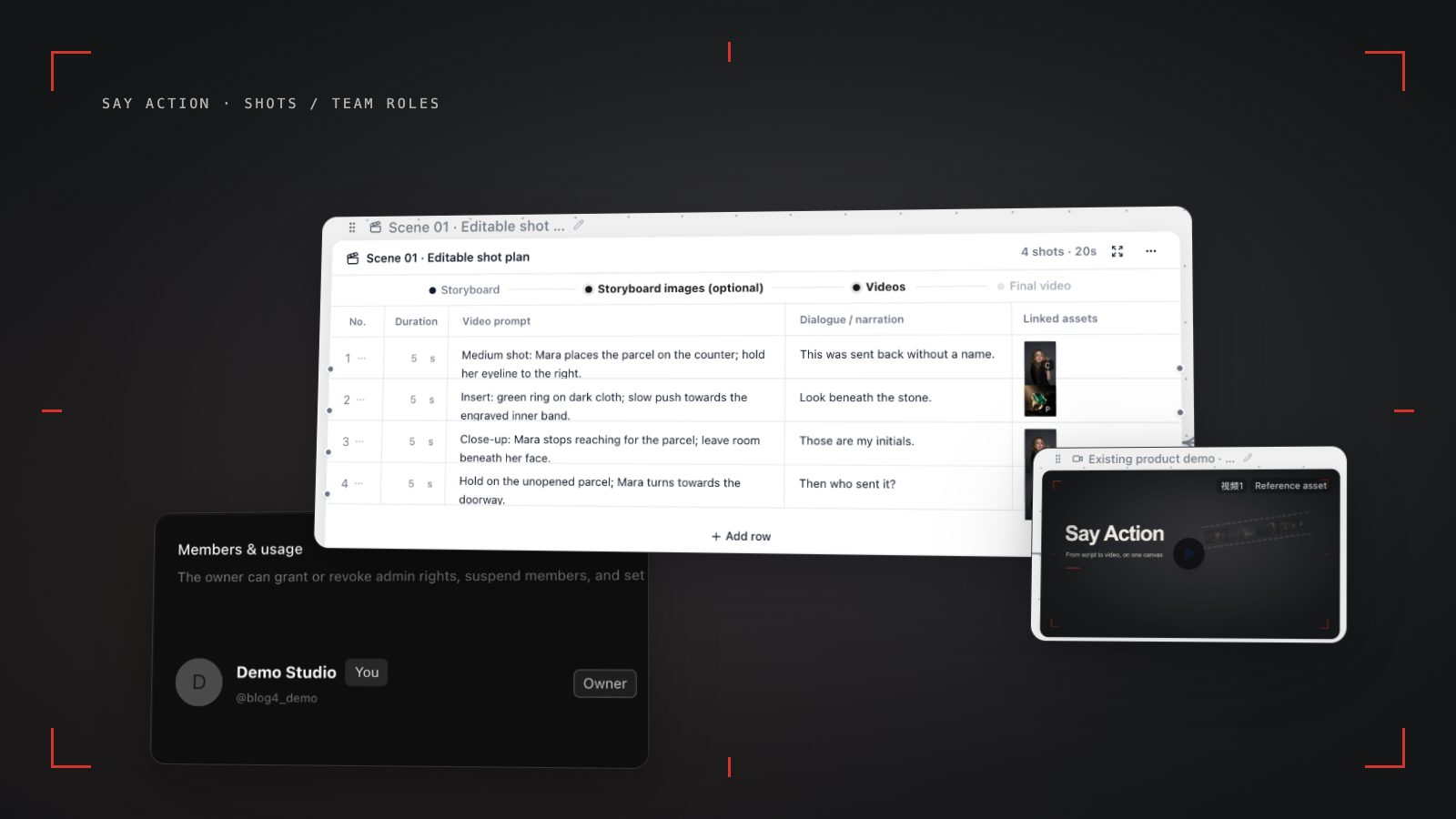
Say Action may fit better when the task is to take a script into an editable shot table, then create keyframes and video nodes from particular rows. Organize scenes and shot details, review framing, action, dialogue and references, then create image or video nodes from the relevant row. If a shot needs work, revise that shot's inputs. First frames, last frames, character references and aspect ratios depend on the selected model and channel; one model's inputs should not be generalized to all models.
If your team already has model providers, assess whether BYOK fits. The following workspace and provider cost boundary uses Say Action's shared copy rather than an independently written plan quote:
Workspace service fee (6 months): USD 29.00 / 6 months. The service fee covers the workspace, not model usage. Provider API charges are separate.
BYOK supports a custom API endpoint, model key and headers. For OneAPI, NewAPI or another relay, select the OpenAI, Gemini or Claude protocol that matches its actual API, then check model IDs and image/video endpoint support. Not every relay or private protocol works automatically. BYOK model calls have no platform model markup or platform generation-credit deduction; workspace access and provider usage are still billed separately.
Consider Say Action first when you need shot-by-shot video generation and revision, want script rows connected to image/video nodes on one canvas, or need to connect your own model provider. It does not replace an external editor or automatically run client approval; people still need to review framing, characters, action and delivery specs.
Why Boords may suit client comments and version reviews
If the handoff centers on letting a client review a storyboard, leave feedback and revisit changes across versions, Boords' listed client review/comments and version history are relevant. Its pricing page also lists a script editor, Convert Script to Storyboard, an MCP server and an animatic editor. Check current product details to learn which plans include each feature, how client access works and how reviews are configured; a feature name alone does not establish the full workflow.
Boords' free plan lists five active storyboards, three active scripts and eight one-time AI sample-image credits. Solo is listed at USD 39 monthly, or USD 26/month equivalent with annual billing. Allowances, taxes and the amount charged are subject to the official site. If your team depends on client comments, needs version review, or currently hands off boards and animatics, keeping Boords may be a better fit than migrating. An animatic is a storyboard preview/editing step; it should not be treated as AI-generated video.
This is a use-case trade-off. Boords lists an MCP server, so do not claim it lacks MCP; likewise, Say Action's team roles are not a client approval system. Portrait support was not confirmed on the current official pages reviewed here, so check Boords directly instead of stating that it is supported or unsupported.
Rebuild existing storyboard material in Say Action
Before moving, inventory scripts, shot descriptions, storyboard images, character references, client notes and version records that you are authorized to use. Keep source files separate from approved finals, and note the scene/shot number for each image plus any framing, dialogue or action details to preserve. Confirm export formats and fields in your Boords account or its official documentation. Do not assume there is a dedicated importer, lossless migration or one-click sync.
Create a new canvas in Say Action and organize text by scene and shot order. Fill in framing, action, dialogue and image prompts for the rows you want to continue producing. Attach existing storyboard images or character references where permitted, then verify that each belongs to the right shot. Only move shots that need video into generation; first confirm that the model accepts the needed aspect ratio and reference inputs, then create video nodes shot by shot.
After rebuilding, check the script rows, references, shot order and final client decisions for omissions, then share the approved version with the team. Do not describe Boords comments as directly importable; if comments cannot be exported, record approved decisions in your project notes. For the full shot handoff workflow, see:
Costs, revisions and delivery boundaries
Compare workspace plans, model usage and post-production separately. Boords plan prices and allowances are subject to its official site. Say Action platform credits and BYOK boundaries follow its shared pricing copy; a model provider may charge separately. A free plan is not unlimited generation, and one entry price does not represent the cost of a complete project.
For failed platform generation tasks, credit handling follows the current shared rule:
When the upstream explicitly reports failure, reserved credits are refunded; tasks with unclear network status stay pending review to avoid double settlement.
With BYOK, model calls use the provider channel you connect, while workspace access and provider usage are billed separately. A completed generation is not a finished episode: people still need to review aspect ratio, usable frames, sound, subtitles, edit pacing, client notes and asset rights, then finish the episode in external editing software.
Connect your own API channels and third-party relays
In model-channel settings, enter the Base URL and API key, then configure the protocol, model IDs and required headers from your provider's documentation. Check the image and video modes you need before generating. Paths, resolutions and first/last-frame inputs depend on the connected channel. An adaptation request for an unsupported channel is not a compatibility guarantee.
BYOK supports a custom API endpoint, model key and headers. For OneAPI, NewAPI or another relay, select the OpenAI, Gemini or Claude protocol that matches its actual API, then check model IDs and image/video endpoint support. Not every relay or private protocol works automatically. BYOK model calls have no platform model markup or platform generation-credit deduction; workspace access and provider usage are still billed separately.
Connect only trusted providers and use HTTPS in production. Custom requests are forwarded through the authenticated backend; required prompts, reference assets and credentials take part in the request. Never put API keys, passwords or secret-bearing headers in public canvases, screenshots or support requests.
Frequently asked questions
Does Boords have a free plan?
Yes. Its official pricing page lists a free plan with five active storyboards, three active scripts and eight one-time AI sample-image credits. These are limited allowances, not unlimited use; check the linked page for current terms.
Can Boords convert a script to a storyboard?
Boords' pricing page lists Convert Script to Storyboard. That confirms the listed workflow, but not every detail of automatic shot breakdown or the controls available on each plan.
Do both tools offer MCP access?
Boords' pricing page lists an MCP server. Say Action documents MCP access for supported canvas workflows. Check current documentation for availability, setup and the actions each product exposes.
Which tool should I choose for client reviews versus AI video shots?
Choose Boords when script/storyboard preparation, client comments and version history are central to review. Choose Say Action when you need editable storyboard rows to continue into model-dependent image and shot-based video work on a canvas. These are editorial fit recommendations, not benchmark results.
Can I connect OneAPI, NewAPI and custom headers?
BYOK supports a custom API endpoint, model key and headers. For OneAPI, NewAPI or another relay, select the OpenAI, Gemini or Claude protocol that matches its actual API, then check model IDs and image/video endpoint support. Not every relay or private protocol works automatically. BYOK model calls have no platform model markup or platform generation-credit deduction; workspace access and provider usage are still billed separately.